


FargoRate Player
3.5187.00 Reviews
App Specs
- Version
- 2.8.7
- Updated On
- License
- Free
- Downloads
- 100,000+
- Developer
- FargoRate
- Categories
- Sports
- Platform
- Android
Screenshots

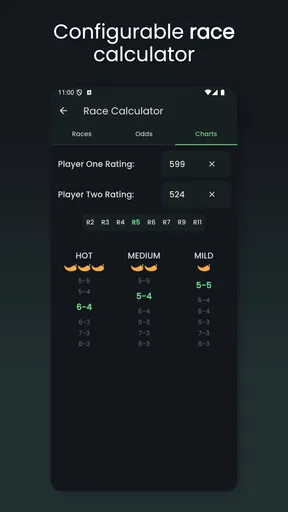
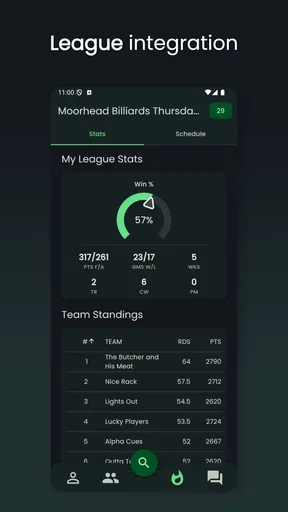
 Analysis by AppCompare
Have you ever found yourself wondering just how well you stack up in the pool world? Well, let me tell you, FargoRate Player is an app for players who want a clearer picture of their standing on the felt. I find the idea useful, but I’d approach it as a companion to playing and keeping reliable match records, not as a shortcut to becoming a better player.
Where users can get stuck
The main point of friction is not the pool itself; it is understanding what information needs to be entered and how a rating reflects match results. A number can feel definitive, but it is most useful as context rather than a verdict on your ability. If you are new to rating systems, give yourself time to learn what the figure means before treating small changes as proof that your game has improved or slipped.
There is also a practical distinction between remembering a match and having a record that can be used consistently. If details are entered late, mixed up, or handled differently from one session to the next, the resulting picture may be less useful to you. I’d make a habit of checking the match details while the result is still fresh, rather than trying to reconstruct a whole evening from memory later.
Checks that make setup smoother
Before relying on the app, I would check that I am using the right player profile and that the match information I enter is accurate. That sounds basic, but it is the kind of small step that prevents confusion when players have similar names or when a busy night includes several games. Keep a simple note of the opponents and results until you have confirmed the entries look right.
FargoRate Player is a free sports app from FargoRate, with optional in-app purchases priced from $1.99 to $12.99 per item. It is rated for Everyone, has an average rating of 3.5 from 327 ratings, and has been installed over 50,000 times. Version 2.8.7 requires Android 5.0 or later. Those details make it accessible to many Android users, though the purchase options are worth keeping in mind if you prefer apps with no paid extras.
Using FargoRate as part of your pool routine
FargoRate is most helpful when you already play regularly enough to care about tracking results. It can give your pool sessions a longer view: instead of relying on a vague impression that you are “playing better lately,” you have a rating-oriented record to consult. Still, a rating cannot explain why a match went one way or another. For that, you will need to think about your decisions, consistency, and practice away from the screen.
Getting Started
First things first, setting up your profile is a breeze. You input your basic info and start logging your matches. The app then does its magic by calculating your FargoRate based on your performance. It’s fascinating to see the numbers evolve with each game, giving you a clear idea of where you stand.
Worth Reading Before You Choose

Flipboard Shows What News Apps Must Do Beyond the Feed

Switching to Android Auto Means Rethinking Your Driving Routine

Google Calendar Makes a Crowded Week Easier to Manage

Ludo King Makes the Most of the Minutes Between Plans

Baby Panda World Brings Quick Play to Modern Phones, but Its Game Library Feels Busy

ESPN’s Live Game View Makes Following Close Games Easier
For a more dependable routine, I would avoid treating every result as an isolated event. After a league night or a set of friendly games, take a moment to enter and check the results together. If something looks wrong, pause before adding more information on top of it. A short, consistent check is easier than trying to untangle several sessions later, especially when you are comparing players or recalling who played whom.
Features That Shine
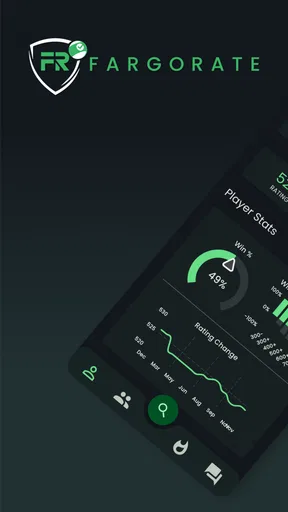
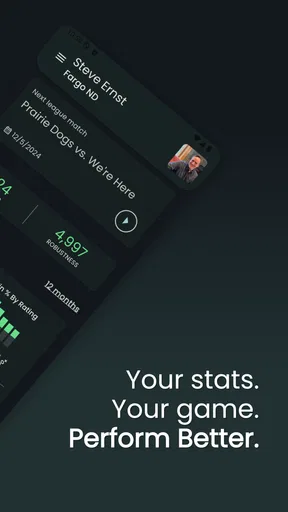
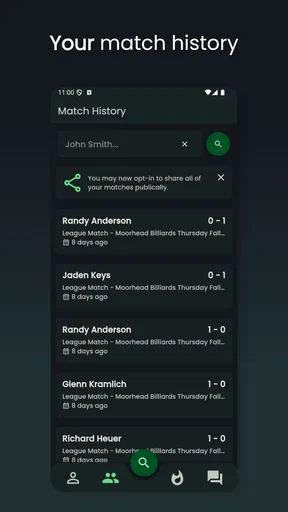
One of my favorite features is the match history. You can track every game you’ve played, which is incredibly useful for analyzing your strengths and weaknesses. The app also offers a detailed stats section where you can delve into specifics like win percentages and average performance. It’s like having a personal analytics team!
The useful insight here is not simply to look for a rising figure. I’d use the history to spot questions worth taking to the table: do I struggle against a particular style of opponent, or do my results change when I play tired at the end of an evening? The app can help organize the evidence, but it cannot diagnose a technique problem by itself. Pairing the record with a brief note in your own notebook can make practice more targeted without assuming the app tracks details it does not show.
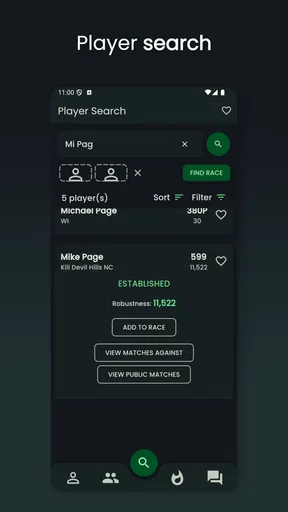
Another standout feature is the ability to connect with other players. Whether you’re looking for a friendly match or a more competitive showdown, the app’s community feature allows you to find opponents at your skill level. You can even participate in virtual tournaments, which adds an exciting competitive edge.
That social side is most valuable if you want pool to lead to actual games, rather than only a number on a screen. I would use player connections as a starting point for arranging a match, then agree directly on the format and expectations before you meet. If your priority is simply finding a nearby table or checking opening hours, a local venue directory or map may be more useful; this app’s appeal is centered on players and rating, not general venue discovery.
A realistic night at the table
Picture a regular evening at a pool room: you play several matches with friends, and afterward everyone remembers the scores slightly differently. A sensible workflow is to confirm each result with the people involved, enter the information while it is fresh, and review the history before calling it a night. That small pause makes the record more trustworthy and gives you something concrete to revisit before your next session. It also avoids turning a casual disagreement about a score into a lasting mistake in your personal tracking.
If you are organizing a group, set expectations first about who will record results and when. One person entering the same match repeatedly, or different people relying on conflicting recollections, can create needless confusion. The practical value is less about making the evening feel official and more about leaving with a record everyone understands.
Why You’ll Love It
Let me tell you, the real charm of this app lies in its ability to motivate and challenge you. Seeing your FargoRate change over time is a huge incentive to keep improving. It’s like having a scoreboard that constantly pushes you to do better. Plus, the sense of community it fosters is fantastic. You’re not just playing pool; you’re part of a global network of players.
I think it suits league players, regular competitors, and serious hobbyists who want a shared frame of reference when arranging games. It can also help a casual player become more intentional, provided they enjoy keeping track. On the other hand, someone who plays only occasionally, dislikes recording results, or wants step-by-step coaching may get little from it. For those players, a simple personal log—or spending that time practicing a specific shot—could be a better fit.
How it compares with simpler alternatives
Compared with writing scores in a notes app or on paper, a dedicated rating app is more focused on turning match records into a pool-specific picture of your play. A notebook remains more flexible: you can record table conditions, how you felt, or what you practiced without being limited to a rating-oriented format. I would not see those approaches as rivals. If you care about both results and the reasons behind them, using the app for its pool tracking and keeping brief personal practice notes can cover different needs.
It is also different from a general social or sports app. Its value depends on whether you want to connect pool results with a player rating and other pool players. If you only need to message friends about a game, your usual messaging app is simpler. If you want a structured way to follow pool play, FargoRate is the more relevant choice, but it asks you to care about accurate results and the meaning of a rating.
When a slow update may not be the whole story
Now, it wouldn’t be a fair review if I didn’t mention a couple of areas where the app could improve. While the app performs well overall, I did notice occasional lags when updating match results. It’s not a deal-breaker by any means, but something I hope they polish in future updates.
If an update seems delayed, I would first check the basics: confirm that the result was entered as intended, allow the app a moment, and reopen the relevant screen before submitting the same match again. Re-entering in a hurry can make it harder to tell whether the first attempt worked. If the issue continues, restarting the app and checking that the device has a stable connection are reasonable general troubleshooting steps, rather than assuming that a rating has changed immediately.
It is also worth separating a technical delay from a disagreement about a result. If players remember the score differently, no refresh can resolve that; confirm the match details with the people who played before changing anything. A rating may not move in the way you expect after one game, either, so I would not use a single result as a test of whether the app is functioning. Look at the match record first, then give the broader rating context its proper weight.
Learning the rating and choosing the right tool
Another thing is the learning curve for new users. While the app is intuitive, understanding the intricacies of the FargoRate system might take a little time, especially if you’re not familiar with pool rating systems. But hey, a little learning never hurt anyone!
My advice is to start with a practical question: do you want to find opponents, keep a record, or understand how your standing develops? If you mainly want a rating reference and a pool-focused community, the app is a natural place to begin. If you are not interested in ratings, the number may feel like extra noise; a basic match log may be enough. And if you are comparing yourself with another player, remember that the rating is a guide for context, not a guarantee that a particular match will go a certain way.
The Final Break
In conclusion, FargoRate Player is a must-have for any pool player looking to up their game. It’s not just an app; it’s a tool that provides insights, fosters community, and most importantly, enhances your love for the sport. Whether you’re a casual player or a pool shark, there’s something here for you. So go ahead, download it, and see how you stack up in the world of pool. Trust me, you won’t be disappointed!
My more measured recommendation is to try it if you play often enough to benefit from a consistent record and enjoy seeing your results in a pool-specific context. Keep entries accurate, use the match history to guide questions rather than draw sweeping conclusions, and give yourself time to understand the rating. If you prefer a private, free-form log or want coaching and venue information, another tool may serve you better. For players who want pool results, ratings, and connections in one focused place, this is a worthwhile option to consider.
Pros
- Accurate player skill ratings.
- Easy-to-use interface.
- Comprehensive player database.
- Regularly updated stats.
- Supports multiple languages.
Cons
- Limited offline functionality.
- Requires stable internet.
- Subscription for advanced features.
- No social media integration.
- Occasional syncing delays.
FAQs for FargoRate Player
What is FargoRate Player, and how does it work?
FargoRate Player is a comprehensive app designed for pool players to track and analyze their game performance. It uses a global rating system to evaluate players’ skills based on past performances and match history. By entering match results, users can see their ratings fluctuate, providing insight into their competitive standing.
Is FargoRate Player free to use, or does it require a subscription?
FargoRate Player offers both free and premium versions. The free version provides basic features such as match tracking and player ratings. For more advanced analytics and features, users can opt for the premium subscription, which offers in-depth statistical analysis and personalized insights.
How accurate is the rating system used by FargoRate Player?
The rating system in FargoRate Player is highly regarded for its accuracy. It uses a sophisticated algorithm that considers various factors, including match outcomes and opponent ratings. This ensures that ratings are reflective of a player's true skill level, offering a reliable benchmark for improvement.
Can I use FargoRate Player offline, or do I need an internet connection?
While some features of FargoRate Player can be accessed offline, such as viewing previously recorded matches, an internet connection is required for updating ratings and uploading new match results. This ensures that all data is synchronized with the global system for the most accurate ratings.
What platforms is FargoRate Player available on, and is it easy to install?
FargoRate Player is available on both Android and iOS platforms. Installation is straightforward; users can download it directly from the Google Play Store or Apple App Store. The app's user-friendly interface ensures a seamless setup process, allowing users to start tracking their games quickly.


